Unreal Engine Multiplayer Tutorial: How to Make a Multiplayer Game
Unreal Engine multiplayer for beginners: client and server, listen vs dedicated servers, replication and RPCs in Blueprints, and a first two-player co-op game.
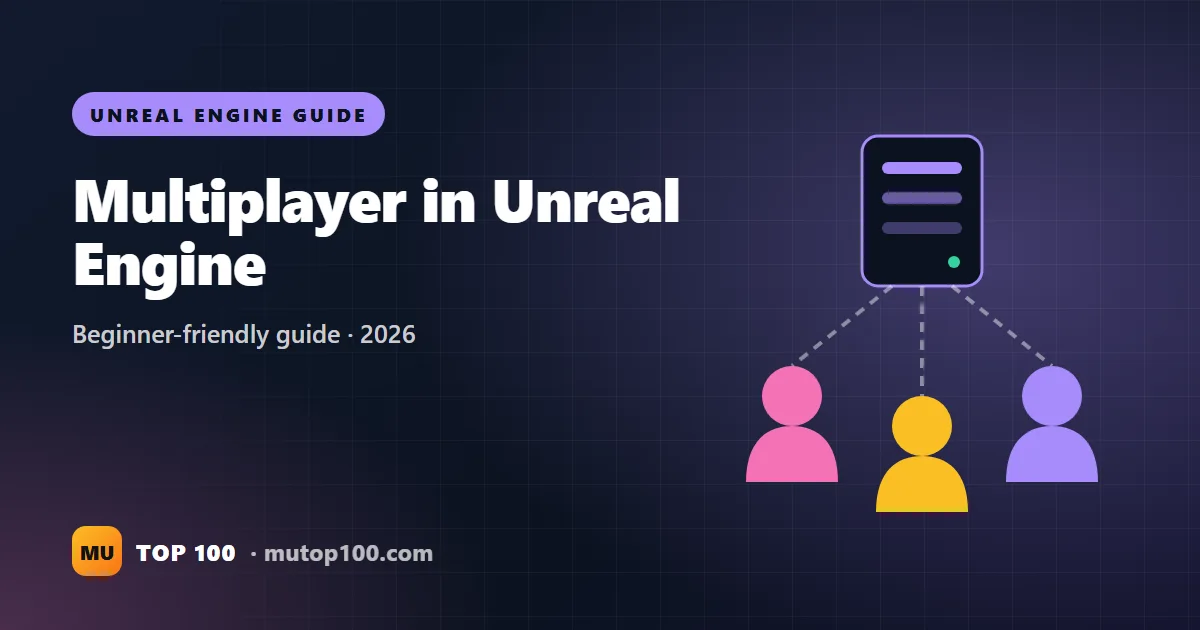
To make a multiplayer game in Unreal Engine, you build it so one computer, the server, runs the real game and sends updates to everyone else, the clients. Unreal does most of the hard work through a system called replication, and you can control it with Blueprints and test several players inside the editor. This tutorial explains the ideas in plain words, then turns a small coin game into a two-player co-op game.
How multiplayer works in Unreal Engine
Unreal uses a client-server model. The server holds the one true version of the game: who is where, how many coins are left, who won. Each player's computer is a client. Clients send their input to the server and show an up-to-date copy of what the server says is happening.
The engine copies changes from the server to the clients automatically. This is called replication. You decide what gets replicated, and Unreal handles the sending. Good news for beginners: the Third Person template's character already moves correctly in multiplayer. Its movement component replicates and predicts movement for you.
The server decides; clients ask. If a client could decide "I picked up 100 coins", cheaters would do exactly that. Important changes, like scores, damage and doors, always happen on the server.
Listen server vs dedicated server
There are two ways to run the server, and Epic's networking overview compares them in detail.
| Listen server | Dedicated server | |
|---|---|---|
| Who runs it | One player hosts while playing | A separate machine, often rented |
| Cost | Free | You pay for hosting |
| Fairness | The host has no lag, an advantage | Everyone is equal |
| If the host quits | The game ends for everyone | The game keeps running |
| Best for | Co-op with friends, small games | Competitive games, many players |
| Extra setup | None, works in Blueprint projects | A C++ project and an engine built from source code |
For a first multiplayer game, choose a listen server. Building a dedicated server requires a source build of Unreal, meaning you download the engine's code and compile it yourself, plus a C++ project. Epic's dedicated server guide covers that when you are ready.
Where things live: Game Mode, Game State and more
Most beginner bugs come from one question: "does this object even exist on this computer?" Unreal's gameplay classes each live in a different place:
- Game Mode: the rules. It exists only on the server, so put rules here, never data that clients need to see.
- Game State: shared information everyone should see, like the team score or the time left. It is replicated to all clients.
- Player State: information about one player that others can see, like their name or personal score.
- Player Controller: the "brain" of one human player. It exists on the server and on that player's own computer only.
- HUD and widgets: on-screen interface. Each player only has their own.
Epic's page on the Game Mode and Game State explains these roles further.
How to test multiplayer in the editor
You do not need two computers to start. Unreal can open several game windows at once.
- Click the more options button (three dots) next to Play in the main toolbar.
- Set Number of Players to 2.
- Set Net Mode to Play As Listen Server. The first window is the host; the second is a client.
- Press Play. Click into each window to control that player.
Later, switch Net Mode to Play As Client. Unreal then starts a hidden dedicated server and every window is a client, which exposes bugs that a listen server hides. Under Advanced Settings you can also turn on network emulation to fake lag, because real internet connections are never instant.
Replication explained: actors, variables and RepNotify
- Replicate an actor: open its Blueprint, click Class Defaults, and tick Replicates under Replication. Tick Replicate Movement too if it moves. Without this, clients never hear about the actor's changes.
- Replicate a variable: select it and set Replication to Replicated. When the server changes it, clients get the new value.
- RepNotify: choose RepNotify instead and Unreal creates a function named OnRep_ plus the variable name. It runs whenever the new value arrives, so you can play an effect or update a door. In Blueprints it also runs on the server when the server sets the value.
- Who is running this? The Switch Has Authority node splits a graph in two: Authority runs on the server's copy, Remote on clients.
RepNotify is perfect for things that have a state, like an open door. A player who joins late still receives the current value, so the door is open for them too.
RPCs: messages between players and the server
An RPC (remote procedure call) is an event that runs on a different computer from the one that called it. In Blueprints you make one from a Custom Event: select it and pick a type under Replicates in the Details panel.
| Type | Runs on | Use it for |
|---|---|---|
| Run on Server | The server | A client asking to do something: interact, shoot, buy |
| Run on owning Client | The one player who owns the actor | Private messages, like "you leveled up" |
| Multicast | The server and all clients | One-off effects everyone should see or hear |
Tick Reliable for important messages; they are re-sent until they arrive. Leave it off for cosmetic effects, because reliable messages use more bandwidth, the amount of data the connection can carry. One rule trips up everyone: a client can only call Run on Server on an actor it owns, such as its own character or Player Controller. Calls on anything else, such as a door in the level, are silently dropped. Epic's RPC documentation has the full rules.
Your first project: a two-player coin hunt
Two players search a level for six coins. The team score shows on both screens, a gate opens when all coins are found, and either player can ring a bell that everyone hears. Start from a Third Person template project. If you have not built a coin yet, follow Step 1 in how to make a game in Unreal Engine 5 first.
- Check the template. Test with 2 players as a listen server. Both characters should run and jump in both windows. That is replication already working.
- Create a shared score. Make a Blueprint Class with the parent Game State Base and name it BP_CoinGameState. Add an Integer called TeamCoins and set its Replication to Replicated. Open the template's Game Mode (BP_ThirdPersonGameMode), click Class Defaults and set Game State Class to BP_CoinGameState. If Unreal warns that they do not match, your Game Mode uses the older Game Mode class, so remake BP_CoinGameState with the parent Game State.
- Build the gate. Create a Blueprint Class with the parent Actor, name it BP_Gate, give it a big cube mesh and tick Replicates in Class Defaults. Add a Boolean called IsOpen with Replication set to RepNotify. In the new OnRep_IsOpen function, use Set Actor Hidden In Game (IsOpen) and Set Actor Enable Collision (NOT IsOpen), so the gate vanishes on every screen.
- Make the coin network-safe. In BP_Coin's Class Defaults, tick Replicates. Then change its overlap logic so only the server counts it, as below. Destroying a replicated actor on the server removes it for everyone. Because IsOpen uses RepNotify, its set node is called Set w/ Notify.
// BP_Coin
Event ActorBeginOverlap (Other Actor)
  -> Switch Has Authority
     Authority:
       -> Cast To BP_ThirdPersonCharacter (Other Actor)
       -> Get Game State -> Cast To BP_CoinGameState
       -> Set TeamCoins (TeamCoins + 1)
       -> Branch (TeamCoins >= 6)
            True:  Get Actor Of Class (BP_Gate)
                   -> Set w/ Notify IsOpen = true
                      (Target = the gate it found)
                   -> Destroy Actor (Self)
            False: Destroy Actor (Self)
Remote: do nothing (clients never count coins)- Show the score to both players. Make a widget, WBP_TeamHUD, with a Text bound to Get Game State, cast to BP_CoinGameState, then TeamCoins in a Format Text such as "Team coins: {0} / 6". Create a Blueprint Class with the parent HUD named BP_CoinHUD. On its Event BeginPlay, use Create Widget (with Owning Player set to Get Owning Player Controller) and Add to Viewport. Set HUD Class in the Game Mode to BP_CoinHUD. Because each player has exactly one HUD, nobody gets a double scoreboard. If your character still creates WBP_HUD from the beginner guide, delete those nodes.
- Add the bell. Set up an input action for the E key (our Blueprints tutorial shows how). In BP_ThirdPersonCharacter, add two Custom Events: Server_RingBell set to Run on Server and Reliable, and Multicast_RingBell set to Multicast.
// BP_ThirdPersonCharacter
IA_Interact (Started) -> Server_RingBell

Server_RingBell        // runs on the server
  -> Multicast_RingBell

Multicast_RingBell     // runs on server and all clients
  -> Play Sound at Location
       Sound    = any short sound
       Location = Get Actor Location
Place six coins, a gate and test again with 2 players, first as a listen server, then with Play As Client. Collect coins in both windows and watch the score rise on both screens. When the sixth coin disappears, the gate opens for both of you.
Playing online: LAN, Steam and Epic Online Services
So far everything ran on one PC. To play with friends you need a way for players to find each other. An online subsystem is Unreal's connection to a service that handles this, and a session is a game that others can find and join.
- Same home network (LAN): the host uses Create Session with Use LAN ticked, then Open Level with the option listen. Friends use Find Sessions (also with Use LAN ticked) and Join Session. This works without any accounts.
- Steam: enable the Online Subsystem Steam plugin and add its settings to DefaultEngine.ini in your project's Config folder. An App ID is the number Steam uses to identify a game, and you can test with Valve's shared test App ID, 480, while the Steam client is running. Each tester needs their own PC and Steam account. Releasing on Steam needs a Steamworks account and a $100 fee per game.
- Epic Online Services (EOS): free services for sessions, friends and cross-platform play, through the Online Subsystem EOS plugin. You register your game in the Epic Developer Portal first.
Developer accounts on Steam and Epic involve contracts, payments and identity checks, so a parent or guardian should set them up. Do not change router settings, such as port forwarding, without permission, and never share your home IP address in public.
Common multiplayer mistakes
| Mistake | What happens | Fix |
|---|---|---|
| Changing a replicated variable on a client | Only that player sees it, then the server overwrites it | Change it on the server, using Run on Server if needed |
| Forgetting to tick Replicates | Clients never see the actor change | Tick it in Class Defaults |
| Run on Server on an actor you do not own | The call is silently dropped | Call it from your character, and pass the door in |
| Creating widgets for every character | The host sees two scoreboards | Create UI in the HUD class |
| Sending RPCs every frame on Tick | Lag for everyone | Send only on changes, and keep Reliable for important ones |
| Only testing as a listen server | Bugs appear for real clients later | Test with Play As Client and fake lag |
Keep your first online game small: two to four players, co-op, no ranked matches. A finished co-op game teaches you more than an unfinished shooter. For ideas, browse the indie multiplayer games players vote for, or see what other developers made on our Unreal Engine games page.
FAQ
Can you make a multiplayer game with Blueprints only?
Yes. Replication, RepNotify and RPCs all work in Blueprints, and listen server games need no C++. Only building a dedicated server requires a C++ project and a source build of the engine.
Is multiplayer hard in Unreal Engine?
It is harder than single-player, but Unreal makes it easier than most engines. The trick is to design for the server from day one instead of adding multiplayer at the end.
Do I need a dedicated server for my game?
Not for co-op with friends. A listen server is free and fine for small games. Dedicated servers matter for competitive games, many players, or worlds that must stay online.
Can I add multiplayer to a finished single-player game?
You can, but it usually means rewriting a lot of logic, because single-player code assumes everything happens on one computer. Start new projects with multiplayer in mind if you want it.
How many players can an Unreal Engine game handle?
It depends on the game and the servers. Fortnite runs 100-player matches on Unreal, but a beginner project should aim for two to eight players.
Can players on different platforms play together?
Yes. Epic Online Services supports cross-platform sessions for free. Each platform still has its own store rules and approval process.
Ready for real players?
List your multiplayer game free on Mutop100, where players already vote daily for online games, and find your first testers.
List your game free